• Home
  • Disclaimer
  • Contact
  • 404 Page

review

  • Home
    • Phones
    • TV
    • Ipad
  • About
Welcome

Feel free to explore...

All post

29 cool way to design your nails for beginners

29 cool way to design your nails for beginners

Hello!
Are you willing to learn how to draw and design your nails?
here it is :
https://youtu.be/sy3edmcbvbk

Samsung smartphones for 2018

Samsung smartphones for 2018

Finally We got this cool and wonderful video to show you BEST samsung smart phones for 2018 .
Watch this video for more details about them !

Comment with your feedback !
Share and Subscribe as well ; ).


دقائق ستغيّر حياتك - Minutes Will Change Your Life

دقائق ستغيّر حياتك - Minutes Will Change Your Life

إصلاح مشاكل الجهاز الإفتراضي في الأندرويد ستوديو - Fix Virtual Device Er...

إصلاح مشاكل الجهاز الإفتراضي في الأندرويد ستوديو - Fix Virtual Device Er...

طريقة إنشاء مشروع جديد في الأندرويد ستوديو - How to create new project i...

طريقة إنشاء مشروع جديد في الأندرويد ستوديو - How to create new project i...

إصلاح مشاكل و أخطاء الإس دي كي في الأندرويد ستوديو - Fix SDK errors in A...

إصلاح مشاكل و أخطاء الإس دي كي في الأندرويد ستوديو - Fix SDK errors in A...

إصلاح الأخطاء في الفيجوال ستوديو - Fix and reset the Visual Studio

إصلاح الأخطاء في الفيجوال ستوديو - Fix and reset the Visual Studio

تعرف على القوائم الرئيسية في الفيجوال ستوديو - main menus in visual studio

تعرف على القوائم الرئيسية في الفيجوال ستوديو - main menus in visual studio

طريقة إنشاء مشروع جديد في الفيجوال ستوديو - How to make new project on V...

طريقة إنشاء مشروع جديد في الفيجوال ستوديو - How to make new project on V...

طريقة جمع و طرح المصفوفات بالآلة الحاسبة - collecting and subtracting ma...

طريقة جمع و طرح المصفوفات بالآلة الحاسبة - collecting and subtracting ma...

How to get free Paypal money 2018

How to get free Paypal money 2018

EASY
FAST
Super way to make Paypal Money
from today and so, it's not hard to make money on paypal .

hope you like & benefit from this guys  !
.
.
.
.
.
.
.
.
.

.
.
.
.
.
.
.
.

.
.
.
.
.
.

.
.
.
.
.


.
.
.
.
.
okay it's just not & a joke

.
.
. and see you soon ;)

Huawei Mate 10 review

Huawei Mate 10 review

Huawei Mate 10 review

Pros

  •  Takes good pictures in low light
  •  Great performance
  •  Very good battery life

Cons

  •  EMUI software is a pain


Key Features

  • 5.8-inch quad-HD HDR10 LCD touchscreen
  • Kirin 970
  • 4GB RAM
  • 64GB storage
  • microSD
  • USB-C
What is the Huawei Mate 10?

The Mate 10 is one half of Huawei’s latest duo of phablets, sitting alongside the company’s Mate 10 Pro.
Given the latter’s branding, you might assume that the regular Mate 10 – featuring a pretty boring LCD, not OLED, screen, less RAM and half the storage – is the lessor phone in the lineup.
On some level, you’d be right. However, following a solid fortnight with the device, I’ve found a number of subtle differences that in some ways make the Mate 10 a superior handset to the Pro.
If you can get your mitts on a regular Mate 10, then, it’s a solid phablet that’s well worth a gander. But given the fact that Huawei isn’t planning to ship the device in the UK or the States, this may prove a difficult task.


Huawei Mate 10 – Design

Visually, the Mate 10 and Mate 10 Pro are pretty similar – which is no bad thing. The review unit I tested has a slightly curved, shiny black glass rear, with a sleek black strip at the top running over its Leica-branded dual-camera sensors. Combined with the metal sides, the end result is a phone that looks like a pretty refined, significantly more top-end, HTC U11.
In addition, the slimmed down screen bezel on the Mate 10’s front also marks it out as a noticeable step up on the company’s previous Huawei P10 Plus, and one of the prettiest phablets currently on the market.
On the Mate 10’s sides you’ll find a few important additions that differentiate it from the Pro device. Chief among these is a 3.5mm headphone jack and microSD slot.
Some people may deem these two ports pointless additions, especially considering the Mate 10 Pro comes with 128GB of built-in storage, as opposed to the regular phablet’s 64GB. But for me, the headphone jack is still a useful inclusion.

Ever since every company under the sun decided to follow Apple’s lead and ditch the 3.5mm jack to save space, audiophiles have been put between a rock and a hard place. You can either invest in one of the multitude of flimsy USB-C adapters, which usually break within a week or two, or compromise on audio quality and invest in a wireless set.
Words can’t express the joy I’ve experienced using the Sennheiser Momentum 2.0 without a dongle during my morning commute throughout last week.


Elsewhere, the Mate 10 features all the trimmings of a 2017 flagship. There’s a USB-C port with Huawei’s proprietary SuperCharge tech on its bottom, and a front-facing home button with a built-in fingerprint scanner. Like all Huawei phones I’ve tested recently, the scanner is wonderfully snappy, reading my fingerprint with zero issue or lag.


My only minor quibble with the design is that, like all glass-backed phones, the Mate 10’s rear is a smudge magnet. Within minutes of using the device, the back was covered in fingerprint marks and needed a wipe down.
I’m also not convinced that the rear of the device will survive anything more than a minor drop scratch, or worse still, crack-free. Although, being fair to Huawei, this is a risk with all glass-backed phones, including the iPhone X and Galaxy S8.

Huawei Mate 10 – Display

The Mate 10 has a completely different screen to the Pro. Specifically, the regular Mate 10 comes with a 5.8-inch, quad-HD LCD panel, while the Pro packs a 6-inch, HD+ OLED display.
On paper, the quad-HD resolution gives the Mate 10 the edge. However, unless you really try to spot pixels, the Pro’s HD+ 2160 x 1080 is more than sharp enough. The real difference will be in terms of the classic LCD vs OLED debate.

In general, OLED screens offer better contrast ratios, deeper blacks and are more vibrant than their LCD rivals. This is because they electrically charge each individual pixel to generate colours, but also work to reduce the screen’s power consumption. By comparison, LCD screens charge the entire panel. The downsides as a result are that whites appear dirtier, viewing angles aren’t the best, and the displays are more of a faff to calibrate.


All the above holds true in this instance. The Pro’s screen is more vibrant, has warmer colours and, in general, looks a little punchier.
That said, the regular Mate 10’s screen is far from terrible. Whites are significantly cleaner, and although blacks don’t live up to those of OLED, they’re suitably deep. A few members of team Trusted felt that colours were a little on the cool side; but in my opinion they appeared balanced to the naked eye. All in all, I had no issue with the regular Mate 10’s screen during my time with it.
Brightness levels, too, were solid – and, according to Huawei, will meet the HDR10 mobile standard. However, until the apps are updated to unlock HDR content on the Mate 10, I can’t check high dynamic range performance.

I Phone X Review

I Phone X Review


iPhone X vs iPhone 8: Which is the true Apple flagship?

Apple has just taken the wraps off three new phones, but which one should you buy? Or is better just to skip them all?
Apple has ditched the iPhone 7S and jumped straight to the iPhone 8, which is unusual in itself – but the surprises don’t stop there. The iPhone X (or iPhone 10) is a special celebratory device designed to celebrate the 10th anniversary of the iPhone line, and it’s a radical departure from previous models.

iPhone X vs iPhone 8 Design: What’s the difference?

The biggest difference between the iPhone 8, iPhone 8 Plus and iPhone X is the industrial design. Apple’s lack of real advancement in design dampened the iPhone 7 and left us with a phone that felt the same as the iPhone 6.
Related: iPhone X: Everything you need to know
iPhone 8
Thankfully things are slightly different this year, but mostly just for the iPhone X. Apple’s most ‘out-there’ phone design yet instantly makes the X stand out, even though it’s been leaked to death in the past few months. Like the Samsung Galaxy S8 and LG V30, the screen on the iPhone X stretches right to the edges and the once huge bezel has been shrunk right down. It’s a striking, futuristic design that is so much more eye-catching than your typical iPhone.
The biggest design oddity will likely be the cut-out at the top that dips into the screen. This houses a myriad of sensors and the front-facing camera, and it looks a lot like the Essential Phone. It’ll be interesting to see whether or not having a portion of the screen blocked off will be annoying, but we suspect it’ll be easy to get used to. Both latest iPhones all have glass backs, which we do think looks nice but we’re not convinced about its durability.
by
Each new iPhone is water-resistant with the same IP67 rating as before, but the iconic circular home-button that has sat below the display on every iPhone has gone the way of the headphone jack on the iPhone X. That also means that Touch ID is now only available on the iPhone 8, not on the iPhone X. Instead, the X benefits from a new feature called Face ID. This face-scanning tech looks to be similar to the face recognition on the Note 8, but you’ll be able to use it for authorising iTunes purchases along with unlocking the phones.

iPhone X vs iPhone 8 Specs: Which phone is more powerful?

In typical Apple fashion, there wasn’t a whole of deep-diving during the keynote about the in-depth specs of these new phones.
Instead, we got the usual presentation slides about improved performance for both the CPU and GPU. The iPhone 8 and iPhone X are powered by the A11 Bionic chip, which is likely built using the same 10nm process as the Snapdragon 835. This new manufacturing process means a more efficient device with hopefully smoother performance and better battery life. Apple’s A11 CPU has two performance cores, which are 25% faster each than the iPhone 7, plus four high-efficiency cores.
Apple didn’t reference the amount of RAM in either phone, so we’ll have to wait for the inevitable teardowns to learn how much memory they’ll get.
Both the iPhone 8 and iPhone X might have similar internals, but they’re very different in terms of display. The iPhone X is the first of Apple’s phones to ditch an IPS LCD display for OLED – the same screen tech used by Samsung and LG. 
OLED offers perfect blacks and much more vivid colours than LCD displays, and all the best phones use it. If you plump for the iPhone 8 or 8 Plus, you’ll be stuck with the IPS LCD panels. The OLED in the iPhone X is also Dolby Vision and HDR 10 capable. It also offers a much higher resolution 2436 x 1125, rather than 720p or 1080p.
Related: What is Face ID? | What is HDR?
iOS 11 will come pre-installed on all the new phones and boasts new features like an improved Siri, brand-new Control Center and a redesigned App Store. The Touch ID lacking iPhone X will also have some exclusive iOS tweaks like the addition of a virtual home button.

The cameras on the back of the iPhone X are similar to the ones on the iPhone 8 Plus. The smaller iPhone 8 is still stuck with one 12MP sensor, both the 8 Plus and have dual-12MP cameras with the extra sensor acting as an optical telephoto zoom lens. The iPhone X benefits from OIS on both these sensors, whereas the 8 Plus has it just on the regular sensor. Another exclusive feature for the iPhone X is a new front-facing camera that can achieve similar effects to the Portrait Mode on the back.

iPhone X vs iPhone 8 Price

The iPhone 8 will start at £/$699 for the smaller model for 64GB and £/$849 for the 256GB model. If you want the 8 Plus model you can add an extra £/$100 to each of those. The iPhone X is, obviously, pricier. It’ll start at £/$999 for 64GB and £/$1,149 for 256GB

YouGov Review

YouGov Review

Too many students want to get money!


To buy something: a game, a book, or anything
The challenge is always that he does not have enough money!
Because he is a student.


Now anyone can work online and easily!
Just one hour of your time to answer a YouGov poll and every poll you fill will get a number of points.

Points = Money
And there are other ways to win points that worth money!
Such as inviting friends, for example.

To register at the YouGov site click here

empowr review

empowr review


There are many of us who want to profit from the Internet


Sign up for the site Click Here

I will explain to you how the company works 

Similar to Facebook but the difference it gives you a profit from any publication to you, whether pictures or video or blogs and also the comments and comments everything that you get a profit.

First:
* The site gives you a $ 20 bonus from your invitation through a friend and if you signed up from the site directly the site gives you only $ 10. .
* The website supports PayPal, and it is necessary to connect Paypal to the site until your account or bank card is protected ...

Second: The site gives you a $ 900 start loan and as you use them renew the loan automatically.

Q: Will anyone come and say what is the loan?
Answer: The site gives you a loan daily through your job at the site .........
I say: I mean, if we chase him, for example, 10 pictures and 10 videos were published, and Comentat and Laikat will find your profit. For example, $ 40, you will say amazing

I say: Well, but I know that the $ 40 does not have them but a certain percentage and the rest of the site !!!!

Important Note: Anything that increases your business will increase your net profit ... ... and it is necessary to work at the site daily at least two hours a day ...

Thirdly and most importantly: The withdrawal after 90 days on the profits of the hour what the loan stopped !!!!
You will reply what this talk!


Note: In order to withdraw funds for the first time necessary, the application of the site, which is located in the Play Store Store free of charge on the mobile and then can be withdrawn from the computer ..

Q: Well where do I find loans? I will tell you ... enter here


The loan is shown and subtracted from the total at the top of the page and the rest is your own profit, which is eligible for withdrawal after the repayment of the loan you have used


Q: Well, I repay the loan from the 90-day profit from where?
      I'll tell you ..................................
                                  Enter here


Important note: If you have a fee and a loan you will not be able to withdraw from the site definitively ........


If you have any further questions you can contact me Click Here


Samsung Galaxy Note 4

Samsung Galaxy Note 4

Samsung Galaxy Note 4 review: the best big-screen phone you can buy right now


Not only is the Note 4 the best Samsung smartphone I've ever used, but it's also the best large-screen phone on the market -- even better than the iPhone 6 Plus.

Pros
  • Gorgeous design with high-end materials
  • Nice display
  • Best camera in a Galaxy smartphone
  • Powerful performance
  • Great battery life


Cons
  • Isn't waterproof
  • Loudspeaker still needs work


Nokia 6 review

Nokia 6 review


he last time you could buy a phone with the word Nokia imprinted on it in the US, Barack Obama was a mere two years into his second term as president, the Chicago Cubs still hadn’t managed to break their century-long dry spell in the World Series, and Apple had yet to sell a single smartwatch.
But despite the non-existence of Nokia phones in America for almost three years, the brand is back, albeit not quite the same as before. A lot has changed since the last time Nokia was here. This new Nokia phone doesn’t even run the same software platform it did years ago. And this new phone — the Nokia 6, available exclusively through Amazon — isn’t a high-end device with cutting-edge design or a game-changing camera.
AN ENTRY-LEVEL PHONE WITH AN ENTRY-LEVEL PRICE TO MATCH
Instead, the Nokia 6 is an entry-level device with an entry-level price to match. Its $229 price drops to $179.99 if you opt for Amazon’s version that’s loaded with Amazon apps and ads. For that cost, you get an unlocked Android phone with a 5.5-inch, 1080p screen, a 16-megapixel camera, and Qualcomm’s entry-level processor. Basically, there’s nothing here, save for the logo that calls back to Nokia’s glory days.
But is the Nokia 6 a worthwhile phone on its own? Yes, especially if you opted for the Amazon version and got it for less than $200. Nothing about the Nokia 6 will give you the impression that you’re using a more expensive or premium device, but it’s a reliable phone that should last a couple of years, provided your needs aren’t that demanding
There are a lot of phones in the Nokia 6’s price range now, and many of them share the same basic specs. The 6 doesn’t veer too far from the norm. Its 5.5-inch display is large and sharp enough, though not as bright or colorful as a more expensive device. It has 32GB of storage, a slot for a microSD card, and 3GB of RAM. The 1.4GHz Qualcomm Snapdragon 430 processor is adequate for day-to-day use, but push the Nokia 6 hard with a lot of multitasking or gaming and you’ll see it show signs of struggle under the load. Similarly, the battery will last a full day for most people, but more demanding users will probably have to hit the charger in the evening.
The Nokia 6’s design also speaks to its budget positioning. It is a metal unibody phone, but the edges are sharp and blocky, and it doesn’t feel particularly polished or refined. The large bezels around the screen and Micro USB charging port give the whole experience a very 2015 vibe.
DON’T EXPECT MUCH FROM THE CAMERA
I never expect much from a phone’s camera at this price point, and the 6 doesn’t do anything to change that. The 16-megapixel camera is slow to launch and focus, and while it can take okay photos in good lighting, image quality falls apart in low lighting.
Most people will probably buy the Nokia 6 with Amazon’s experience, which saves a not-insignificant $50 from the price of the phone for Prime members and brings along lock screen ads and Amazon’s suite of apps preinstalled.
The 10 preinstalled Amazon apps don’t bother me all that much. I’d be installing Amazon’s shopping app anyway, and if you’re a Prime member, the Photos, Prime Video, and Amazon Music apps are likely to be useful to you.
The ads, which appear on the lock screen and in the notification tray of the phone, are a bit more annoying. Like many other phones, the Nokia 6 has a fingerprint scanner below the screen that can be used to wake the display and log in to the phone. But unlike most phones, you actually have to put your fingerprint on the scanner twice to use the phone, once to wake the display and again to unlock it. Other phones will wake the screen and log you in with just one read of your fingerprint, which is obviously easier and more convenient.
AMAZON FORCES YOU TO LOOK AT THE ADS EVERY TIME YOU TURN ON THE PHONE
Amazon has set up the phone this way because it forces you to look at the ads it shows on the lock screen. There’s no way to get past the lock screen and use the phone without seeing an ad for a product or service on Amazon. And, as we’ve seen with other Amazon phones in the past, the ads are not particularly useful or relevant to you. I’ve been using Amazon for over a decade and spend thousands of dollars a year with it, but the Nokia 6 shows me ads for products and books that I have zero interest in. On top of that, the 6 doesn’t cycle through its lock screen ads all that often, so in the hundreds of times I unlock my phone each day, I’m seeing the same three ads over and over again.
Otherwise, the Nokia 6’s unadulterated version of Android 7.1.1 Nougat is clean and easy to use. It even has up-to-date Android features, such as home screen icon shortcuts. One thing that remains an unknown is how well Nokia and Amazon will keep this phone updated with security patches and software updates. (Entry-level phones are notorious for being abandoned by their manufacturers when it comes to getting updates.) As of the publish of this review, my Nokia 6 review unit has the June 1st, 2017 security patch, so at least it’s starting off up to date.
Photo by Amelia Holowaty Krales / The Verge
If you were hoping for the Nokia 6 to be the second coming of Nokia in the US, you’ll be disappointed. You might also have been expecting a bit too much. A roughly $200 phone is never going to be anything more than a budget model for casual consumers.
But if you’re a casual phone buyer looking for something with decent software and a reliable experience, you can do a lot worse than the Nokia 6. It’s a tougher sell at its full $229.99 price, but if you can live with the ever-present Amazon ad on your lock screen, it’s a good value at $179.99. Just make sure you’re using it with AT&T, T-Mobile, or one of their subsidiary MVNO networks, as it won’t work on Verizon or Sprint. And if you find that you can’t stand the ads, you can always pay $50 to upgrade to the ad-free experience after the fact.

Huawei P10 review

Huawei P10 review

Huawei P10 – Camera

The P10 is the second phone to carry Leica’s branding on its camera. The dual-lens system pairs a 20-megapixel monochrome sensor with a 12-megapixel RGB sensor. Huawei claims the dual-lens system will offer buyers a variety of benefits, including better low-light performance, the ability to create a more realistic bokeh effects, and improved black-and-white photography.
There is some truth to the first claim, but the P10 still isn’t perfect in low light or at creating a true-to-life bokeh – a cool-looking effect where the camera creates heavily out-of-focus areas of the frame.
The P10 isn’t the worst performing camera I’ve tested in low light, but it’s far from the best at this price. Photos taken at night or in dim conditions can suffer from noise and look overprocessed, particularly when there are bright lights – such as street lamps – around

p10 1

Even photos in moderately dark placess, such as bars, don’t display quite as much detail as competing top-end phones such as the iPhone 7 or Samsung Galaxy S7. This is likely due to the P10’s f/2.2 aperture, which is sub-par for a £500-plus phone. By comparison, the Galaxy S7’s rear camera has an f/1.7 aperture, the iPhone 7 an f/1.8, and the Pixel an f/2.0.
The lower aperture also affects the camera’s ability to create a realistic-looking bokeh. No phone camera has managed to create an authentic-looking bokeh and the P10, too, falls short; you can definitely see blemishes and slight distortions around the subject when viewing the image on a larger screen.
With this in mind, I can’t help but think that Huawei fans looking for a decent camera would be better off shelling out the extra cash for a Huawei P10 Plus, which has improved f/1.8 lenses.
Outside of this, the camera is pretty good. The camera app is nicely reactive and I didn’t notice any significant lag when shooting. Photos taken on the P10 in decent light didn’t appear over-sharpened and colours weren’t distorted. All in all, the phone’s camera is more than good enough for taking a few holiday snaps for sharing on social media.
The rear camera can also record 4K resolution video at 30fps or standard FHD footage at 60fps. Recordings generally look decent, albeit shaky if you don’t have a tripod, though again, low light performance is an issue.
Huawei 12

The addition of manual controls for the camera’s settings, custom monochrome portrait mode, and special “impact” filter, can be used to create nicely atmospheric black-and-white images.
The 8-megapixel, f/1.9 front camera also performs well in low light and is more than good enough for selfies – although, again, its low-light performance isn’t great.

The P10’s selfie and portrait capabilities can be enhanced with the use of its software. Huawei has loaded the camera app with a custom portrait studio that lets you do basic touch-up work. It’s far from Photoshop on your phone, but controls for enhancing skin tone and dynamic lighting, for example, work well enough to make even a hack journo look semi-human in photos for social media.
You can see a selection of sample photos taken on the P10 below.

Huawei P10

Huawei P10

Samsung Galaxy J2 Review

Samsung Galaxy J2 Review

Samsung Galaxy J2 Review

SAMSUNG CSC

At a time when Chinese manufacturers were offering amazing features on smartphones at rock-bottom prices, the Galaxy J1 was something of a joke when it was launched in India at the beginning of 2015. Extremely low-end hardware and a slow software experience that you wouldn’t want even your enemy to suffer made the Galaxy J1 one of the worst Samsung phones we had seen in a long time.
Six months later, Samsung launched the Galaxy J2 for a slightly higher price (roughly $130) than the Galaxy J1′s. Thankfully, the company made major improvements to the hardware: a larger screen, better processor, more storage and higher-resolution cameras for the same amount of money make the J2 seem more attractive than its predecessor, even if it still pales in comparison to what the Chinese competition is offering.
But the software is where it counts in this day and age, and does the Galaxy J2 bring enough improvements to the overall user experience? Let’s quickly get started with the review to find out.

Design

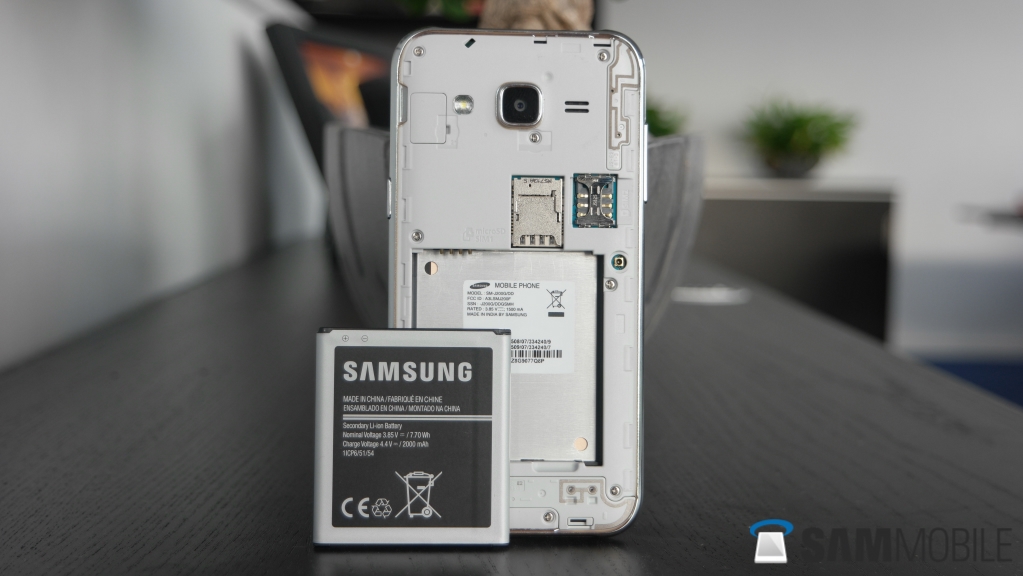
Despite all its achievements in the mobile industry, smartphone design isn’t one of Samsung’s strong suits. The Galaxy J2 looks as average as a smartphone can look, with a rounded design and a thick faux metal rim that stands out like a sore thumb. The phone feels okay in the hand thanks to the soft-touch back panel, which is removable and gives you access to the battery, two SIM slots, and a microSD slot.  That faux metal rim is the main source of the ugliness here, and we have no idea why Samsung couldn’t have at least made it a bit thinner.
SAMSUNG CSC
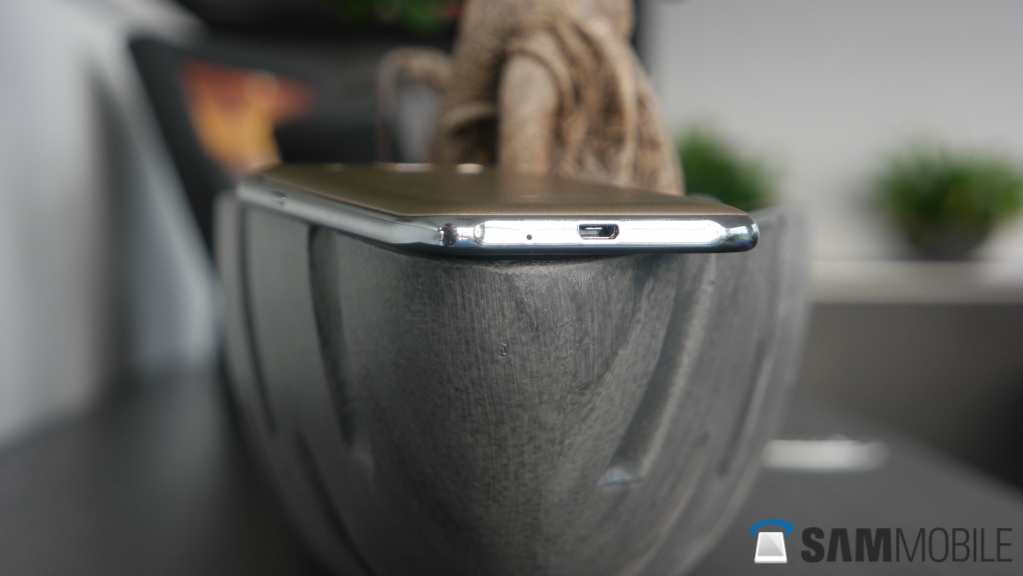
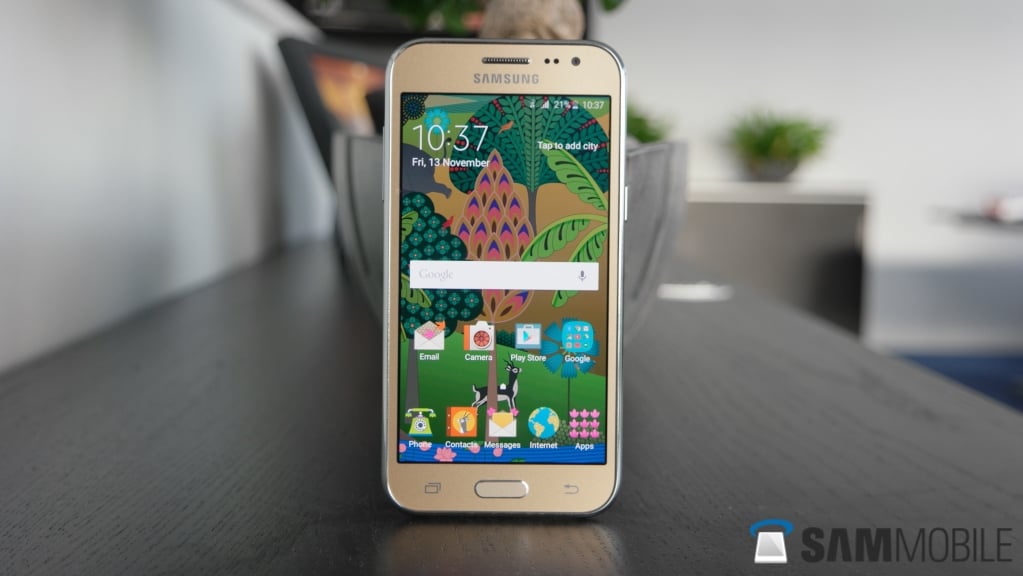
On the front of the phone are the navigation keys (a hard home button and two capacitive non-backlit back and recent apps), the earpiece, proximity and front-facing camera sensors, and the Samsung logo. Volume buttons are on the left, the power button is on the right, the primary microphone and microUSB port are at the bottom, and a 3.5 mm headphone jack is present at the top. Around the back we see the 5-megapixel primary camera in the center, with an LED flash and loudspeaker grille on each side. Near the bottom is the 4G DUOS logo; the J2 supports 4G only on one SIM, with the second SIM slot only supporting 2G networks.
Again, nothing about the Galaxy J2′s design looks like any meaningful effort was put into it. That fat rim around the device is something we wish Samsung would just do away with, and a bit of focus on the looks of its devices could help the company do slightly better in this segment of the market.
SAMSUNG CSC
SAMSUNG CSC
SAMSUNG CSC
SAMSUNG CSC

SAMSUNG CSC
SAMSUNG CSC
SAMSUNG CSC

Display

The Galaxy J2 features a 4.7-inch Super AMOLED display, with a resolution of 540×960 pixels (qHD). Phones priced so low don’t usually offer a great viewing experience, but the Galaxy J2 defies that convention thanks to its Super AMOLED display. OLED displays are intrinsically more attractive than LCD displays, and as a result the Galaxy J2 doesn’t disappoint. The screen has a lot of contrast, gets really bright (especially when you enable the Outdoor mode), and shows very deep blacks.
SAMSUNG CSC
Viewing angles are good as well, though you do have a bit of color shift when you tilt the phone to an angle and then look at the display. The display isn’t very sharp, since the qHD resolution only equates to around 230 ppi of pixel density, and the Galaxy J1 actually has a sharper display because it only measures 4 inches. For the price this is forgivable though, and the advantages of the AMOLED panel make up for the not-so-high screen resolution.
Oh, and in case you were wondering, the Galaxy J2 doesn’t feature an auto-brightness option, something that is missing on higher priced budget Samsung phones like the Galaxy J5 and Galaxy J7 as well. The Outdoor mode (accessible from the notifications shade) helps in bright daylight, but Samsung really needs to understand that removing the auto-brightness feature is one of the last things it should do when looking at how it can reduce the price of a smartphone.
Here’s a detailed analysis of the Galaxy J2′s display.

Cameras

The Galaxy J2 comes with a 5-megapixel autofocus camera at the back, and a 2-megapixel camera at the front. The rear camera’s performance is at par with cameras found on devices in the sub-$150 price range, which is to say it’s not very good. Images aren’t very sharp, with dull colors and noticeable noise indoors. In low-light conditions the camera gets severely limited, and it can take a couple of seconds to get proper focus on the subject before a picture gets captured. Video quality is unimpressive as well, with a lack of detail very prominent in pretty much every scenario and noticeable shake.
SAMSUNG CSC
Selfies were a highlighted feature on the Galaxy J1, and it’s the same for the Galaxy J2 as well. Surprisingly, the front camera is better than the one on the back. Despite the low-resolution sensor, the pictures it takes are pretty sharp, at least when you compare it to the rear camera. Color reproduction is also pretty good, though the Super AMOLED display does help in adding to the images’ charm. Noise control is also done well, and the front camera’s performance is good enough for posting images to social networks like Facebook and Instagram.
SAMSUNG CSC
SAMSUNG CSC
SAMSUNG CSC
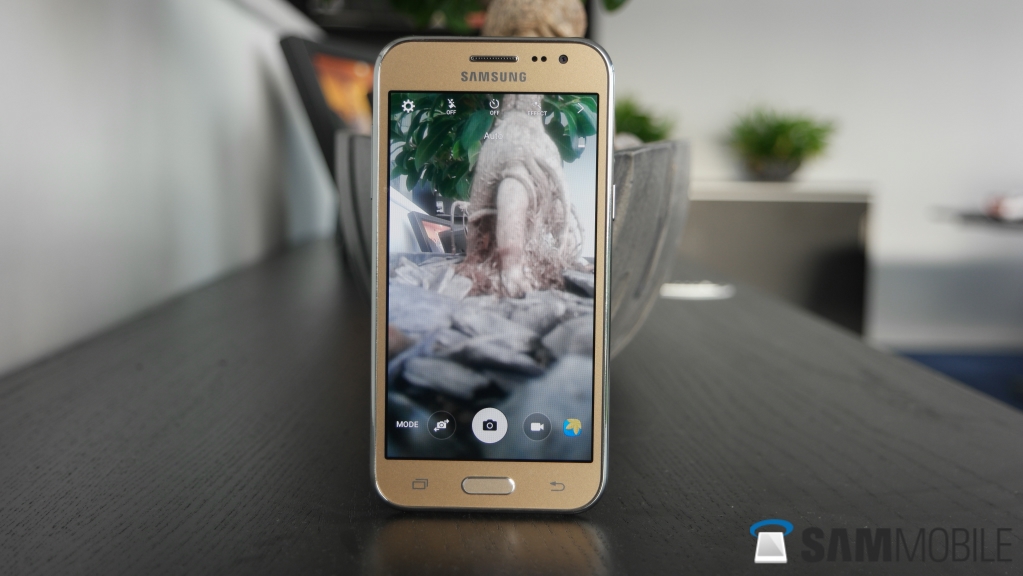
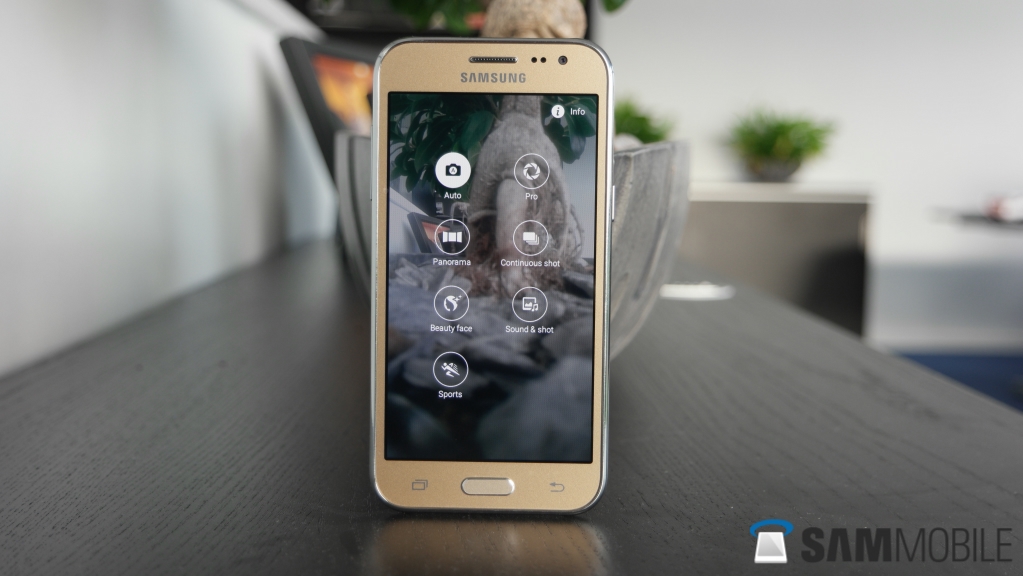
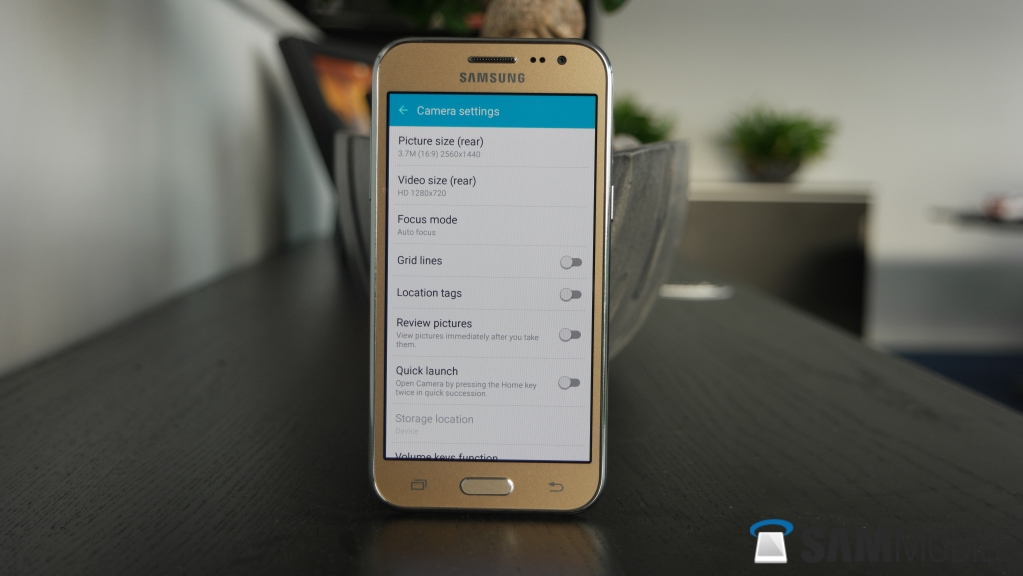
The Galaxy S6 feature that allows you to launch the camera app from anywhere by pressing the home button twice in quick succession is available on the Galaxy J2, though it’s disabled by default. Quick access to the camera is one of the top reasons for this shortcut to exist, but most of the time the phone can’t launch the camera app quickly enough because of the not-so-powerful hardware inside (which we will talk about after the software section.)
Check out a few camera samples below.
20151113_111142
20151113_111155
20151113_111149
20151113_111249

Software

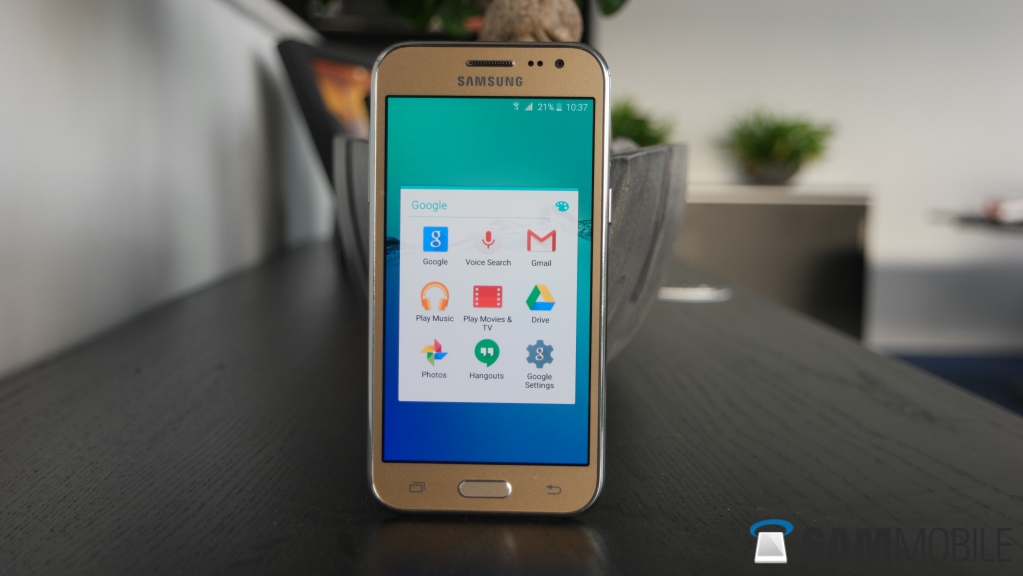
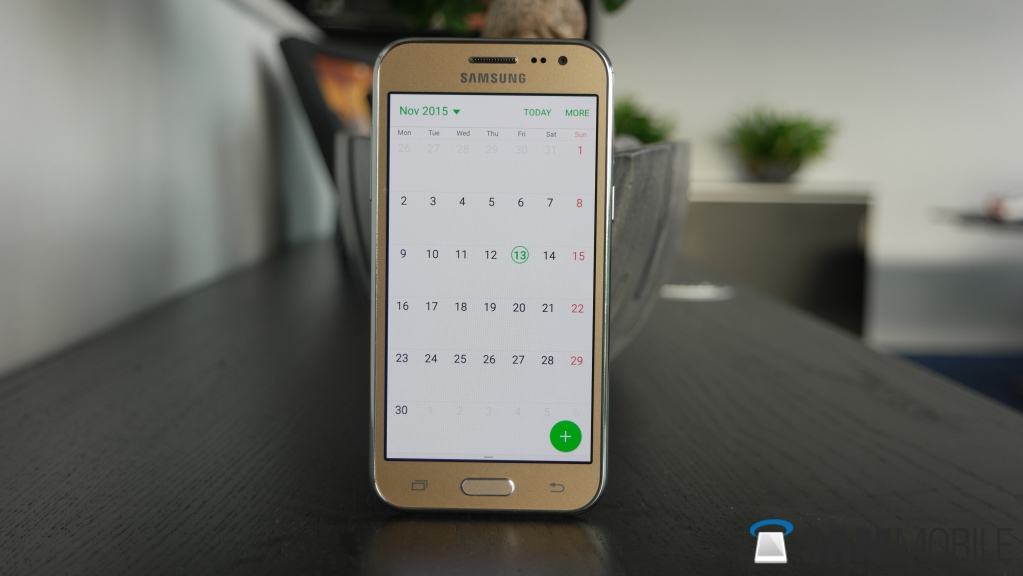
The Galaxy J2 runs Android 5.1.1 Lollipop, with the newest version of Samsung’s TouchWiz UX on top (the one that debuted on the Galaxy S6 and S6 edge earlier this year.) If you’ve used a Samsung smartphone before, you will feel right at home when you pick up the J2. Samsung’s user interface is the most intuitive in our opinion, especially now that the company has started cutting down on unnecessary features. That’s not to say you don’t get a lot of additional functionality over what you would find on a device that runs a stock version of Android, but none of the added stuff is in your face.
SAMSUNG CSC
SAMSUNG CSC
SAMSUNG CSC
SAMSUNG CSC

SAMSUNG CSC
SAMSUNG CSC
SAMSUNG CSC
Ultra Data Saving Mode is one feature that is exclusive to the Galaxy J2 (and to the Tizen-powered Z3.) This feature helps you save on data costs by compressing all incoming and outgoing internet traffic, and allowing you to limited data usage on a per-app basis. It’s certainly useful if your data plan doesn’t give you a lot of data, and its implementation across the operating system means you can drastically reduce the amount of data you use up everyday.
The Galaxy J2 also supports themes, but sadly there is no option to install additional ones over the ones that come pre-installed. This might be a limitation because of the qHD display resolution, as theme makers will have to adapt their themes to support this particular resolution, a task they might not be ready to undertake given the Galaxy J2 is extremely limited in terms of availability. Of course, support could be added later on as more qHD smartphones from Samsung become popular, but at this point you will have to make do with the rather unimpressive pre-installed themes to freshen up the software’s look.
SAMSUNG CSC
The J2 doesn’t come with Samsung’s proprietary music player either, an omission that can be seen on all Galaxy J devices, so you will have to make do with the Google’s Play Music app. But other than this, you get most of the features you get on costlier Samsung devices, including features like Download Booster.

Performance

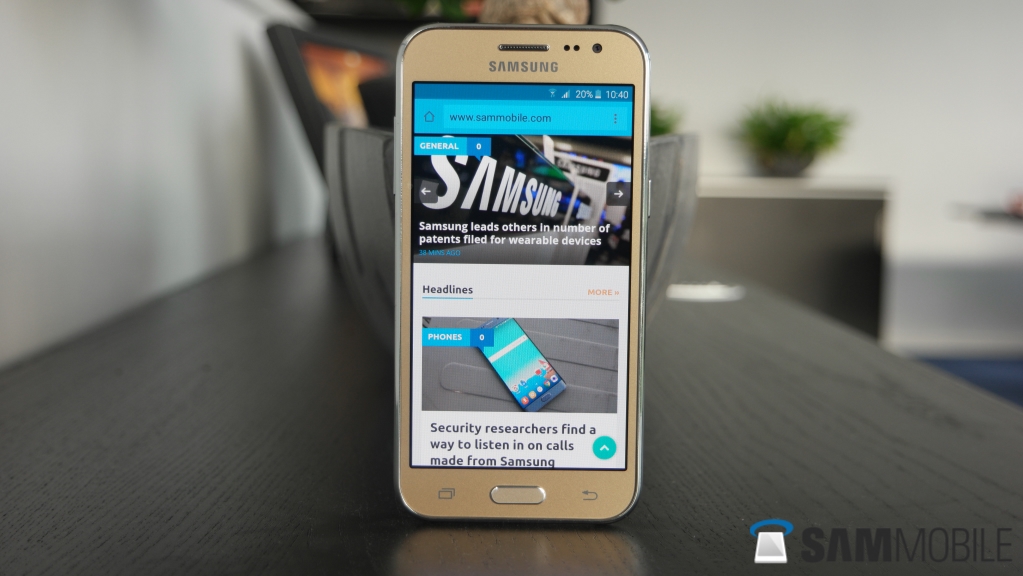
This is the part where the Galaxy J2 brings the biggest improvement over the Galaxy J1. Partly because of the optimized version of Samsung’s TouchWiz UX, the Galaxy J2 performs adequately most of the time. There are a few stutters here and there, notably in the app opening animations and when you expand notifications on the lockscreen, but otherwise the J2 doesn’t suffer from the performance issues of its predecessor. Apps launch rather quickly, though there was sometimes a noticeable lag when switching between apps.
SAMSUNG CSC
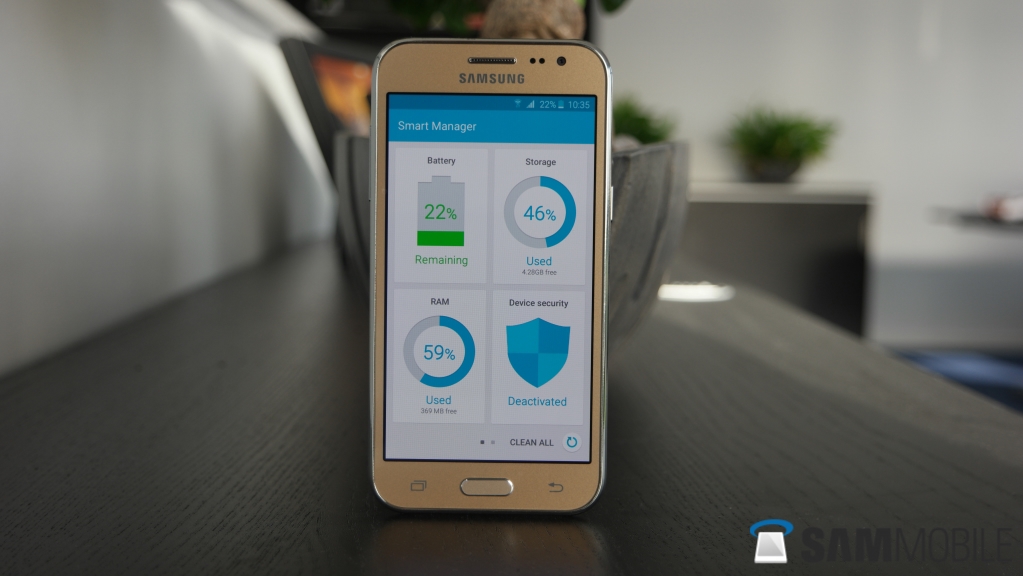
When it comes to gaming, the entry-level nature of the J2 becomes noticeable. Temple Run 2 ran fine, but Angry Birds 2 didn’t do anything except show a blank screen, indicating compatibility issues with Samsung’s new quad-core Exynos 3475 chipset. Also, like other low-end Samsung devices, the J2 failed to download any high-end game (like Asphalt 8) due to the very low internal storage, so we were unable to test those out.
Overall, the Galaxy J2 performs slightly above average for the hardware it carries. It’s good for basic usage that includes social networking, some browsing, and a bit of basic gaming, but if you’re a demanding user the Galaxy J2 won’t hold up too well.
SAMSUNG CSC
SAMSUNG CSC
SAMSUNG CSC

Battery

The Galaxy J2 comes with a 2,000 mAh battery, which is slightly larger than the 1,850 mAh battery found on the Galaxy J1. The hardware might not be too demanding - 2,000 mAh batteries aren’t exactly large enough for everything a smartphone is subjected to today, but battery life on the J2 isn’t bad. With general usage involving some calls, browsing, WhatsApp and three email accounts syncing all day, the phone was able to make it through the day easily. Heavier usage, especially when taking a few images with the camera, reduced the phone’s endurance by a considerable amount, but it still managed to get through an 8-hour work day with aplomb.
SAMSUNG CSC
That said, battery life is nowhere near as good as that of the Galaxy J5 or Galaxy J7, both of which are higher-end devices in the series and benefit from battery capacities often seen on flagship smartphones. Both the Galaxy J5 and J2 could go into the second day before needing a charge, and it’s disappointing to see Samsung isn’t maintaining the same battery performance on all phones in the lineup.
Like every other smartphone from the Korean giant today, the Galaxy J2 comes with the Ultra Power Saving Mode feature. Ultra Power Saving Mode is basically a fancy name for an option that turns the phone into a feature phone of sorts. Almost everything gets disabled, including the display’s color output, to save battery. You can make calls, use WhatsApp or browse the internet and use a couple of basic apps like the calculator when this mode is on, and that’s about it. Wi-Fi and mobile data get disconnected when the screen is off to reduce idle drain, and all of it helps when you want to make every drop count.

Audio/Call Quality

The Galaxy J2 comes with a single loudspeaker at the back, like most Galaxy smartphones. The loudspeaker doesn’t get very loud, but sound quality is acceptable, with noticeable punch to the output. No, you won’t be listening to music on this loudspeaker very often, and overall it’s pretty much average. Expect to miss a few calls when the phone is in your pocket and you’re in a crowded place, and don’t expect to be able to easily listen to what the other person is saying when you put a call on the loudspeaker.
Speaking of calls, call quality on the Galaxy J2 is also just average. Both parties on a call can listen to each other well, but there is noticeable hiss sometimes when the network signal isn’t strong. The phone was able to latch on to mobile networks quite well for the most part. As is usually the case, it wasn’t too capable of providing a good signal in low coverage areas, but that’s a common problem across the budget smartphone market.

Wrap Up

The Galaxy J2′s best feature is the Super AMOLED display, considering its low price tag, even though we could have done with higher resolution. Performance is also good for the most part, but there’s pretty much nothing else here that can make the Galaxy J2 an instant recommendation.
It’s disappointing, to be honest, especially since the Galaxy j5 and Galaxy J7 are so much better, making the Galaxy J2 (and the Galaxy J1) look like an afterthought. The J2 is by no means a bad phone for the price a major manufacturer like Samsung is asking you to part with, but we just can’t help but feel the company isn’t offering much in the ever growing budget smartphone market. There are a lot of better options available in the J2′s target market, some of them even priced lower, and we hope Samsung can start making budget phones that don’t make you feel like you are sacrificing on most of the important aspects of a smartphone.
Newer Posts Older Posts
Subscribe to: Posts (Atom)

Search This Blog

Arsip Blog

  • ▼  2018 (11)
    • ▼  November (1)
      • 29 cool way to design your nails for beginners
    • ►  June (1)
    • ►  May (2)
    • ►  March (5)
    • ►  February (2)
  • ►  2017 (7)
    • ►  November (1)
    • ►  September (1)
    • ►  August (3)
    • ►  July (2)
  • ►  2016 (19)
    • ►  June (19)

Entri Populer

  • Sony Xperia Z5 review
    Sony Xperia Z5  review PROS Fantastic display Camera works well in varying conditions Excellent fingerprint scanner ...
  • HTC One M9 review
    PROS Beautifully crafted and well-designed Speedy processor Sense Home works brilliantly Great front-facing camera Bes...
  • Samsung Galaxy J2 Review
    Samsung Galaxy J2 Review At a time when Chinese manufacturers were offering amazing features on smartphones at rock-bottom prices, ...
  • Samsung Galaxy S6 Edge review
    Samsung Galaxy S6 Edge  review PROS Best cameras on any phone Innovative design Superb build quality Fantastic screen...
  • Sony A6300 Review
    Sony A6300  Review A6300 SUMMARY The Sony A6300 serves as the follow-up to one of the most popular cameras in recent yea...
  • Huawei P10 review
    Huawei P10 – Camera The P10 is the second phone to carry Leica’s branding on its camera. The dual-lens system pairs a 20-megapixel monoc...
  • إصلاح الأخطاء في الفيجوال ستوديو - Fix and reset the Visual Studio
    إصلاح الأخطاء في الفيجوال ستوديو - Fix and reset the Visual Studio
  • طريقة إنشاء مشروع جديد في الأندرويد ستوديو - How to create new project i...
    طريقة إنشاء مشروع جديد في الأندرويد ستوديو - How to create new project i...
  • 29 cool way to design your nails for beginners
    Hello! Are you willing to learn how to draw and design your nails? here it is : https://youtu.be/sy3edmcbvbk
  • HTC 10 review
    OUR VERDICT It's a hard phone to rate on first impressions – HTC has put all the right bits in here, but I felt the same way w...

Label

  • Companies
  • designing
  • drawing
  • earning
  • HTC
  • Huawei
  • IPhone
  • LG
  • Nokia
  • Paypal
  • Program
  • Samsung
  • Sony
  • Toshiba
  • websites
  • XBOX
Copyright © 2015 review All Right Reserved. Designed by Arlina Design | Distributed By Gooyaabi Templates